


September Update
Since the May update, most of our work has been about making PostGuard calmer to use. You should not need to know which library changed or what happened inside the encryption code. What matters is whether sending a file feels reliable, whether receiving one is understandable, and whether you can tell what is safe to trust.
This update is about those parts.
Sending large files should feel less fragile
When you send files with PostGuard, they are encrypted in your browser before they leave your device. That is still the core idea: PostGuard should never need to read your files to deliver them.
The thing we improved is what happens around that process. Uploads now keep better track of their progress and are built to handle interrupted connections more gracefully. That matters most when you are sending a larger set of files from a laptop on office Wi-Fi, a train connection, or a home network that briefly drops.
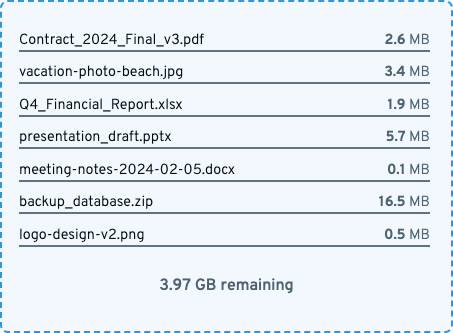
For example, imagine you are sending a signed contract and a few supporting documents. Earlier, a connection problem at the wrong moment could make the whole process feel uncertain. With the newer upload work, PostGuard has more information about what was already sent and what still needs to happen. The result should be fewer confusing failures and a better path back when something goes wrong.
It is easier to say who may open something
You can still send to someone with just their email address. You can also ask for extra proof, such as a phone number or date of birth, when the situation calls for it.
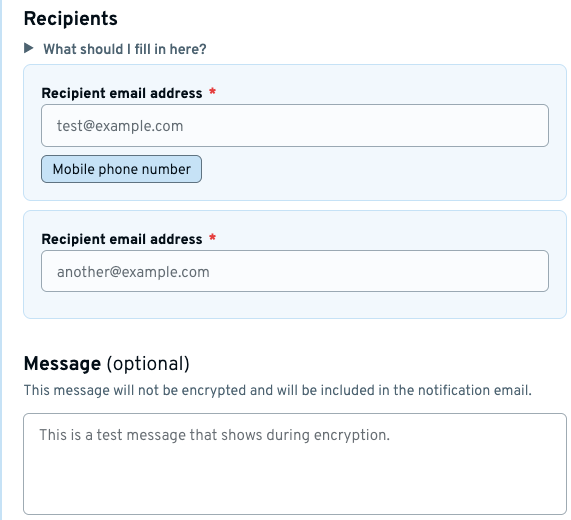
A simple example: you need to send a document to Alice, but it should only be opened by the Alice who also controls a specific phone number. You can add that phone number as an extra requirement. Alice then proves the required details with Yivi before the files open. If someone only has access to Alice’s mailbox, that is not enough.
We also improved the surrounding text in the form so this choice is easier to understand. Extra checks should feel like a normal part of sending sensitive files, not like a cryptography setting.
Signing with Yivi should stay simple
When you send files, PostGuard asks you to prove your own email address with Yivi. This is what lets the recipient see who the files came from later in the flow.
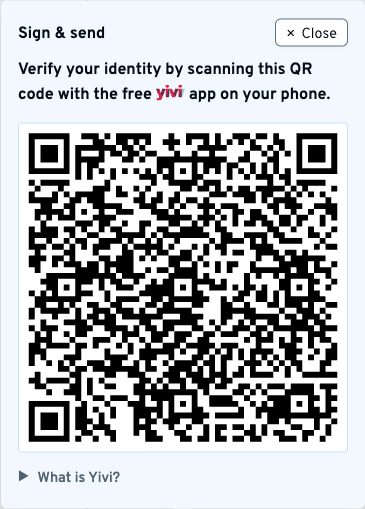
On desktop, that still means scanning a QR code. On mobile, we have been working on making the handoff to the Yivi app smoother, because mobile browsers can be strict about when an app is allowed to open. The important part for you is simple: PostGuard should guide you through the Yivi step without making you think about browser rules.
Receiving files is clearer about trust
One of the biggest user-facing changes is on the receive side. PostGuard can show sender information before you decrypt, but before decryption that information is only a claim. The screen now says that more clearly.
After you prove who you are with Yivi and PostGuard has decrypted the package, the trust screen can show the verified sender details before you download the files.
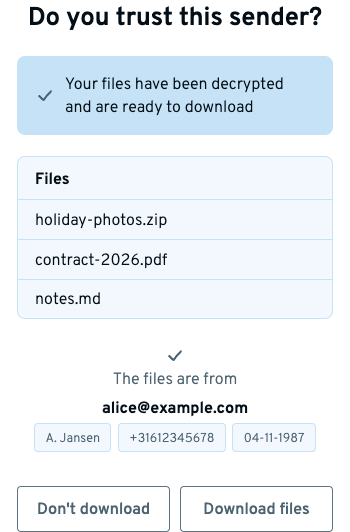
This is a small wording and timing change, but it matters. If the screen says a package “claims to be from” someone, treat it as helpful context. If the screen says the files “are from” someone and shows verified details, you have stronger information to base your decision on.
A practical example: you receive files that say they are from your care provider. Before opening them, PostGuard can already give you a hint about who the package claims to be from. After the Yivi step, PostGuard can show which sender details were actually verified. That makes the final “Download files” choice less of a guess.
Outlook and Thunderbird are getting closer
A lot of work also went into the Outlook and Thunderbird add-ins. Some of it is invisible because it sits underneath the buttons you click. Both add-ins now rely more on the same PostGuard code as the website. That makes them easier to keep consistent.
For users, that should mean fewer differences between “I received this in Thunderbird”, “I opened this in Outlook”, and “I opened this through the website.” Encrypted messages should be recognised in the same way, sender details should be handled in the same way, and fixes should reach the different places with less delay.
We are also preparing the add-ins for their marketplaces. That is important because most people should not need to download an extension from a GitHub release or follow developer instructions. Installing PostGuard should happen through the Outlook and Thunderbird channels people already use.
Less visible work, more confidence
We have also done a lot of work that normal users should not have to notice. The libraries behind PostGuard have been updated, the examples and docs have moved closer to the code, and we are expanding compatibility testing across the website, SDKs and add-ins.
The plain version: when we ship a new version of one PostGuard part, we want the other parts to keep working. If your municipality, care provider or organisation sends PostGuard messages from their own system, those updates should be boring. The message should arrive, the Yivi check should work, and the recipient should get the files.
Next, we will keep setting up the end-to-end testing system and Grafana observability around PostGuard, so we can push new updates safely and monitor how they behave after release. At the same time, we are working on shipping the PostGuard plugins to the Outlook and Thunderbird marketplaces. That combination matters: better testing helps us move faster, and marketplace distribution makes PostGuard easier to install for the people who just want secure email to work.